PDF documents are the undisputed gold standard for sharing information across platforms, maintaining visual consistency from the smallest smartphone screen to the largest architectural plotter. However, this versatility comes at a cost: file size. In an era where digital agility is paramount, "bloated" PDF files act as friction. Whether you're a legal professional emailing a 200-page brief, a marketer uploading an eBook to a landing page, or a student submitting a thesis, understanding the deep mechanics of PDF compression is no longer just a technical niche—it’s a vital digital literacy skill.
The Challenge of Modern Document Management
The PDF format, originally developed by Adobe in the early 1990s, was designed to be "Digital Paper." Just like physical paper, it encapsulates everything needed to render the page: fonts, vector graphics, and high-resolution raster images. In our modern high-DPI world, scanners and digital cameras capture information with incredible detail, often far exceeding what the human eye can perceive on a standard monitor. This over-abundance of data is the primary driver of massive file sizes.
When you compress a PDF, you aren't just "shrinking" a file; you are performing a delicate surgical operation on its internal structure. The goal is to identify and remove redundant information while preserving the "as-intended" visual experience for the reader.
Understanding PDF Architecture: Behind the Curtain
To master compression, one must understand that a PDF is essentially a structured database of objects. These objects include text strings, font descriptions, color spaces, and XObjects (external objects) like images. Compressed PDFs utilize different internal filter techniques to pack these objects efficiently. At TransferPDF, our engine analyzes this object tree to find "low-hanging fruit"—elements that take up significant space but contribute little to perceived quality.
Lossy vs. Lossless: Choosing Your Strategy
There are two fundamental types of compression within a PDF: lossy and lossless. Choosing the right one depends entirely on your document's end-use case.
1. Lossless Compression (The Archival Standard)
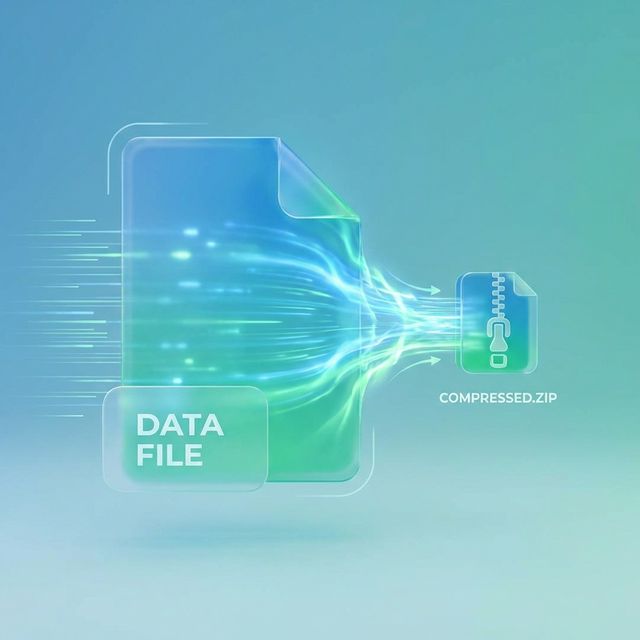
Lossless compression, often utilizing the Flate (ZIP) algorithm, reduces file size by identifying and efficiently encoding repetitive data patterns. The key advantage here is that the data is perfectly reconstructed bit-for-bit upon decompression. This is ideal for text-heavy documents, legal filings, and medical records where even a microscopic loss of detail is unacceptable.
2. Lossy Compression (The Web & Email Specialist)
Lossy compression, typically through JPEG or JPEG2000 algorithms, achieves much higher reduction ratios by discarding data that the human eye is less likely to notice. It focuses on simplifying complex color gradients and fine textures in images. While this results in a smaller file, it can introduce "artifacts" (blurring or blockiness) if pushed too far. For web-optimized brochures and quick email attachments, lossy compression is the king of efficiency.
Ready to shrink your PDF?
Use our professional-grade compression tool to reduce file size up to 90% instantly.
Compress PDF NowDeep Dive: Image Optimization Techniques
Images are almost always the biggest culprits in large PDFs. Strategic image optimization involves several layers of processing:
- DPI Downsampling: Most printers only require 300 DPI for high-quality output, and screens often display at 72 or 144 DPI. If your PDF contains 1200 DPI scans from a high-end office copier, downsampling to 150 DPI can reduce image size by up to 80% with almost no visible difference on screen.
- Color Model Conversion: Converting CMYK (Cyan, Magenta, Yellow, Black) images intended for professional printing to RGB (Red, Green, Blue) for digital display can shave off a significant percentage of the file size.
- Removing Thumbnails: Many creation tools embed small preview thumbnails of every page. While helpful for some readers, they take up space and are rarely necessary for modern fast- rendering PDF viewers.
Font Management: The Hidden Bloat
Have you ever wondered why a 1-page PDF can sometimes be 2MB despite having no images? The answer often lies in fonts. A PDF usually "embeds" the font used so it looks the same on every computer. However, a full font file (like Arial or Helvetica) contains thousands of characters for every language on earth.
Subsetting is a technique where only the characters actually used in the document are embedded. If your document only uses "A, B, and C," why include the whole alphabet and Cyrillic extensions? Proper font subsetting can reduce the font overhead from several megabytes down to just a few kilobytes.
Cleaning Up "Digital Dust"
A PDF often carries "metadata"—hidden data about who created it, what software was used, and even the history of edits. While useful for internal tracking, this digital dust adds up. Advanced compression tools also remove "orphaned objects"—bits of code that refer to things that were deleted but never truly purged from the file's internal index.
The TransferPDF Advantage
What sets TransferPDF apart is our multi-pass analysis. Most basic tools apply a "one-size-fits-all" setting. Our AI-driven engine looks at the document and applies the most aggressive compression where it’s safe and keeps settings high where detail matters (like logos and signatures). We ensure that your professional documents stay professional.
Best Practices for a Slimmer PDF Workflow
To maintain a lean digital library, follow these simple rules:
- Export, Don't Print: Use "Export as PDF" in Word or Excel rather than "Print to PDF," as it results in a more structured and naturally optimized file.
- Optimize at the Source: If you're building a presentation in PowerPoint, resize your images before adding them to the slides.
- Batch Process: Periodically run your archive through a tool like TransferPDF to keep your cloud storage costs low.
Conclusion: Efficiency is Quality
Mastering PDF compression isn't just about saving bits and bytes; it's about respecting the time and bandwidth of your colleagues and clients. A fast-loading, lean document project demonstrates professionalism and technical savvy. By leveraging the right blend of downsampling, color management, and object cleanup, you can ensure your documents reach their destination as intended, without the unnecessary weight.
Stay tuned for more deep dives into the world of digital productivity here on the TransferPDF blog!